phpRS manual
phpRS is a publishing system for online magazines, newspapers and blogs. This manual takes you from installation to day-to-day operation.
It is written for three kinds of readers. The editorial team – people who write, edit and publish – will find what they need in the chapters on writing and the newsroom. The site administrator and publisher – the person who installed the system, looks after it and decides about appearance, readers and revenue – starts with the chapters Getting started and Operations and continues with the chapters Appearance to SEO and AI. A developer will find a map of the code and the project rules in the chapter For developers.
Chapters
- Getting started – hosting requirements, installation, first steps after installation, updates, moving the site elsewhere and the import from WordPress.
- Writing – the article editor, images, galleries and attachments, embedding video and social media posts, content types, sections, tags and series, scheduling and revisions, the AI assistant.
- Newsroom – roles and permissions, handover and review, the front page and the calendar, comments, account and sign-in.
- Appearance – site templates, Site identity, blocks and layout, editing text right on the site and a custom template.
- Readers and revenue – reader accounts, locked content and subscriptions, payments with Stripe, newsletter, browser notifications, advertising, support and the revenue overview.
- Language versions – site languages, the switcher and hreflang tags, translating articles, sections, pages and blocks.
- SEO and AI – settings for search engines, AI search engines, the Claude connection, analytics and privacy.
- Operations – mail, backups, background jobs, System status, nginx, security and troubleshooting.
- For developers – project structure, principles, tests and releases, how to contribute.
How the manual is written
Names of screens and buttons are in bold and match the English administration interface. A path in the administration is written with arrows,
for example Settings → Mail. Addresses and file names look like this.
The manual describes the latest released version of the system. You will find your version number in the footer of every administration page and in Settings → Backups and updates (the Installed version row).
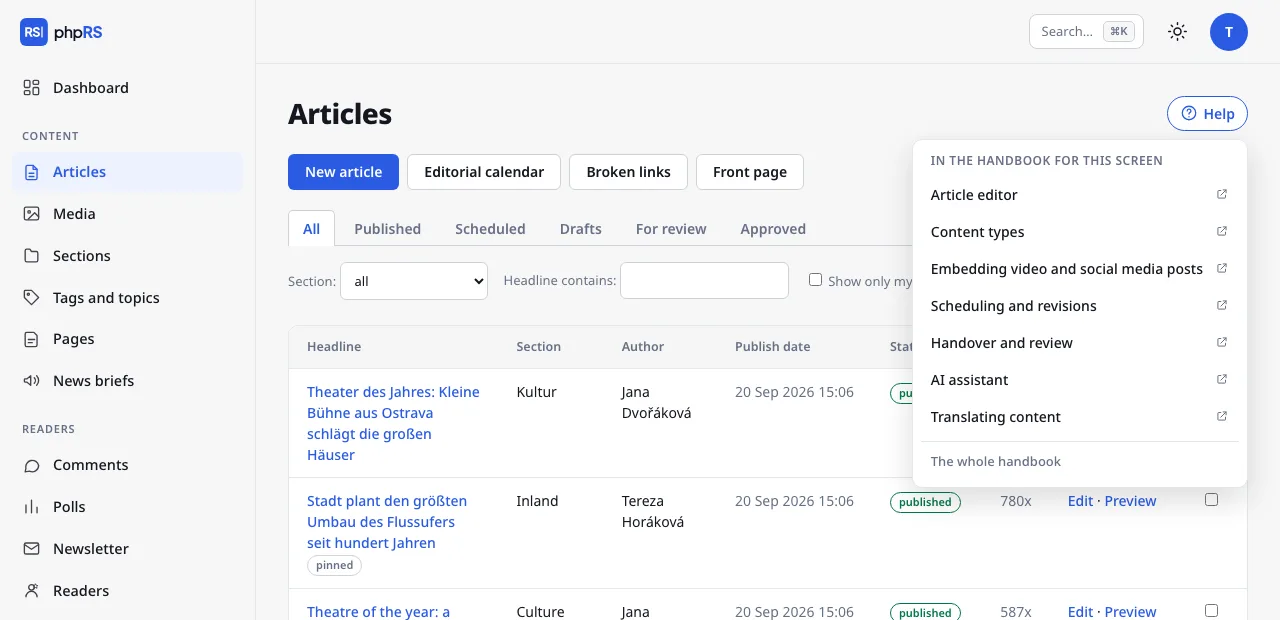
On administration screens there is a Help button next to the heading. It opens a list of the pages of this manual that relate to that screen.