System status
Settings → System status is the first place to look after installation, after moving the site and whenever something behaves strangely. Every row has a status – OK, warning or error – and an explanation of what to do about it.
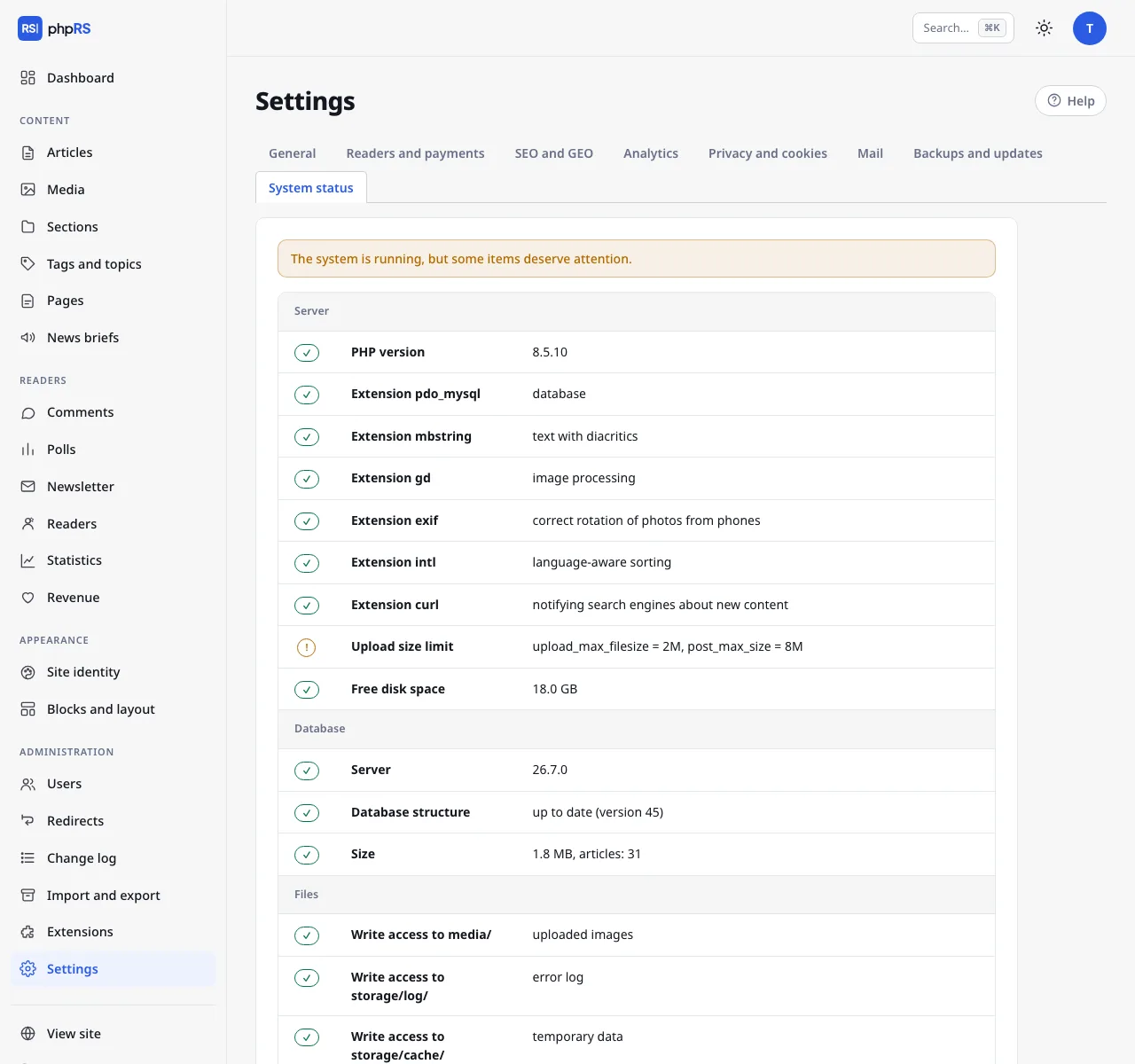
What is checked
| Group | Rows |
|---|---|
| Server | PHP version, required and recommended extensions, upload size limit, free disk space |
| Database | server version, database structure (pending changes), size and number of articles |
| Files | write access to the folders that need it (media/, storage/…) |
| Security | deleted installer, HTTPS, debug mode turned off, security headers, two-factor sign-in of administrators, blocked accounts, integrity of core files |
| Operations | errors in the last 24 hours, age of the last backup, off-site backups, indexing by search engines, media size, background tasks, updates, mail sending |
An error means that a part of the system does not work. A warning is a recommendation – the site runs, but something should be dealt with (typically missing 2FA, off-site backups turned off, cron not set up).
Other parts of the page
- Mail – sends a test e-mail to the newsroom address.
- Error log – the last 40 error records the system caught. When an error occurs, a visitor sees only a general apology; the details are here and in the file
storage/log/chyby.log. The Clear the log button deletes it. - Background jobs (cron) – the address for cron, see Background jobs.
- Monitoring – an address with the status in JSON format.
Monitoring
After you create an access token (the Create token button), the status is available at
https://www.example.com/stav.json?token=…The response contains the overall stav, verze, cas and the array kontroly with all the rows. It is enough to set a monitoring tool (UptimeRobot, Zabbix, Uptime Kuma…) to watch the overall status. Without a valid token the address responds with error 403.