Updates
phpRS can update itself. Every package is signed by the publisher and the system installs only a package whose signature matches – it rejects a forged or damaged one.
How it works
- Twice a day the system asks at
https://phprs.eu/aktualizace.jsonwhether a new version has been released. It sends nothing but its own version number in the request header. - You install a regular version yourself with a single button.
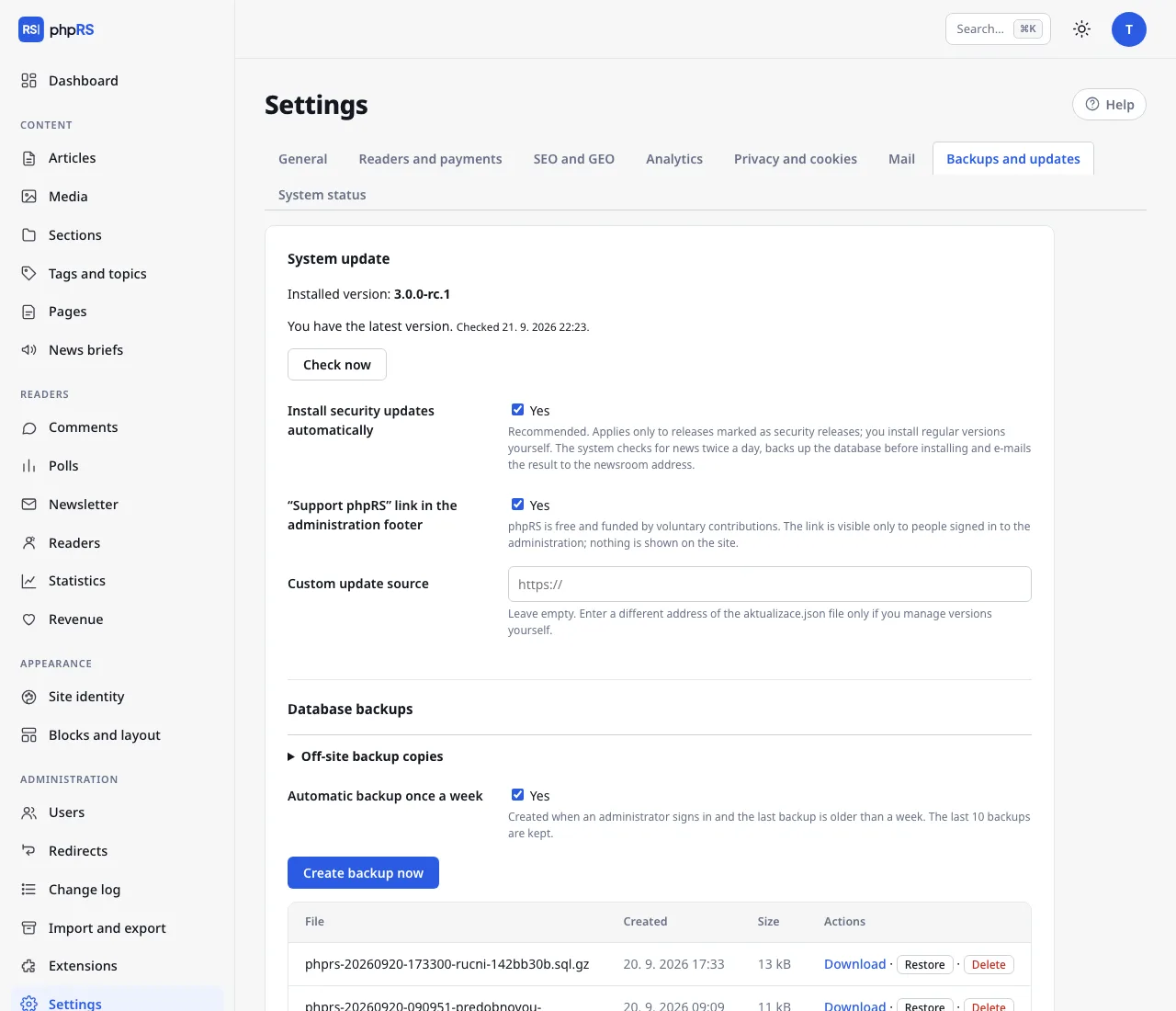
- A security release is installed automatically by default: the system first backs up the database, verifies the checksum and signature of the package, overwrites the files and sends an e-mail to the newsroom. If you do not want this, turn off the option Install security updates automatically – you will then only receive a notification e-mail.
One-button update
Settings → Backups and updates. When a new version is available, you see its number, the list of changes and the Update to button with the version number. After you confirm:
- a database backup is created,
- the package is downloaded and its checksum and signature are verified,
- for a few seconds the site responds with a maintenance message,
- the system files are overwritten, files the new release no longer contains are removed, and the database is adjusted to the new structure on the first request.
The update does not overwrite config.php, the folders media/ and storage/, or your own templates in the layout/ folder. The built-in templates (classic-newspaper, modern-magazine, minimal) are overwritten – so do not edit them; make your own design as a copy under a different name.
The original three-column template default has been removed from the system. A site that used it is switched to Classic Newspaper by the update itself; the block layout and all content stay as they were. Your own templates (including those created as a copy of it) are not affected. One exception: if you copied the template by hand and its base.php still loads the stylesheet from layout/default/style.css, copy that file into your own folder before updating and fix the link in base.php – after the update the original file no longer exists.
The Check now button asks for a new version immediately.
What the update needs
The PHP extensions zip and sodium and write access to the site folder. If any of these is missing, the system says so and offers the manual procedure.
Manual update
This always works, even when the automatic update does not:
- In Settings → Backups and updates click Create backup now and download the backup.
- Download the new release and unpack it.
- Over FTP, overwrite all files except
config.phpand the foldersmedia/andstorage/. Do not upload theinstall.phpfile from the package to the server. - Open the site or the administration – the database adjusts itself.
Integrity check
Every release carries a signed list of core files with their checksums. Based on it, Settings → System status reports changed, missing and added files in the Core files row. A report after your own change to the core is fine only if you know about that change; otherwise it is a sign that the site has been compromised – see Operations → Security.